Why You Don't Need Photoshop for High-Quality Transparent PNGs (Anymore)
For over two decades, the transparent PNG had a gatekeeper. If you wanted a clean cutout of a product, a portrait, or a logo, you opened Photoshop. You learned the Pen Tool, wrestled with layer masks, and zoomed in to 400% to manually fix jagged edges around someone's hair. An hour later, you had your image.
In 2026, that workflow is overkill for most people. Modern AI background removers produce edge quality that rivals manual masking — in seconds, from a browser tab, often without paying a cent. Here's why the game has changed, what actually defines a "high-quality" transparent PNG, and how to get professional results without ever launching Photoshop.
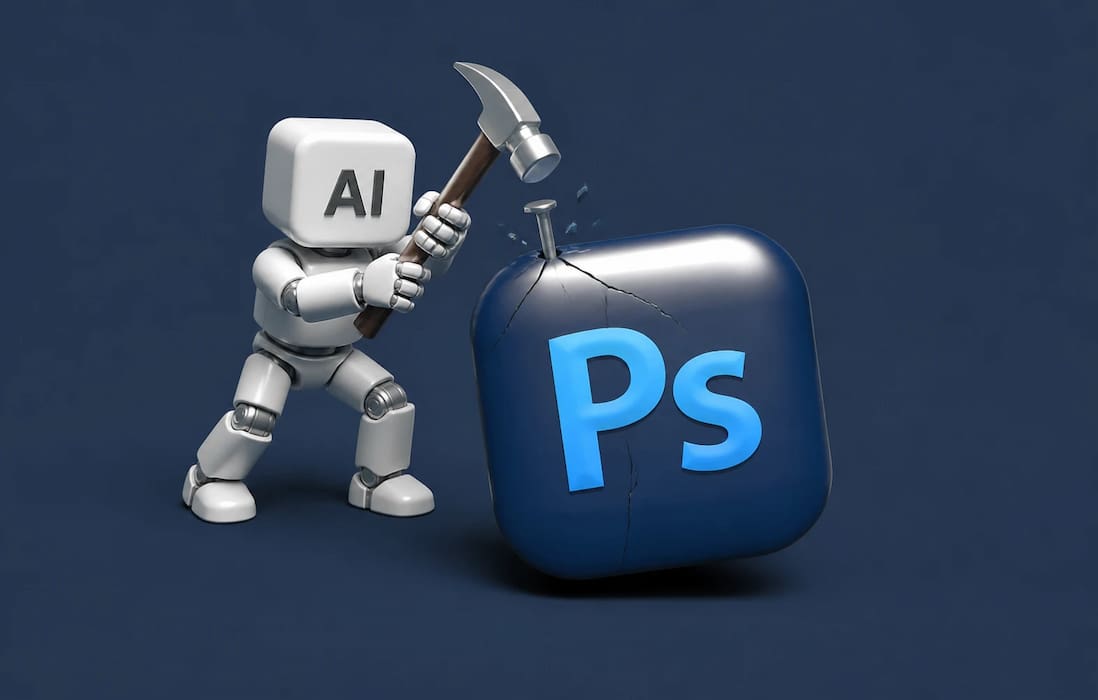
The Photoshop Era: What Removing a Background Used to Mean
Photoshop earned its reputation as the industry standard the hard way. Cutting out a subject manually meant tracing paths with the Pen Tool, refining selections with the Select and Mask workspace, and painting edge corrections by hand. A simple product photo might take 10 to 30 minutes. A portrait with flyaway hair? Easily an hour.
Then there's the cost. A standalone Photoshop subscription runs north of $20 per month, billed annually, and most casual users sign up, complete one project, and pay for a year of software they barely touch. If you're a working retoucher compositing images daily, that's a fair price. If you just need a product photo on a transparent background for your Shopify store, it's like renting a forklift to carry a grocery bag.
What "High-Quality" Actually Means for a Transparent PNG
Before comparing tools, it helps to define what you're actually aiming for — because "high quality" gets thrown around loosely.
Clean, Artifact-Free Edges
A quality cutout has smooth, natural edges without halos, jagged "stair-stepping," or leftover background color bleeding into the subject. This is where cheap tools and old-school magic-wand selections usually fail: they produce edges that look fine at thumbnail size but fall apart on a billboard.
Preserved Fine Details
Hair strands, fur, glassware, wedding veils, wisps of smoke — these semi-transparent or wispy elements are the ultimate stress test. A high-quality result keeps them intact instead of turning them into a solid, cookie-cutter silhouette.
True Alpha-Channel Transparency
A real transparent PNG stores an alpha channel, which means every pixel can be anywhere from 0% to 100% visible. This is why PNG (and WebP) are the go-to formats for cutouts, while JPEG literally cannot do transparency at all. Any tool that exports your cutout as a proper 24-bit PNG with an intact alpha channel is delivering the real thing.
How AI Background Removal Closed the Gap
The reason Photoshop's monopoly on cutouts ended isn't marketing — it's math. Modern background removers are built on deep-learning models trained on millions of images where every pixel has been labeled as "subject" or "background." Over years of training, these models learned to recognize not just obvious boundaries, but semantic ones: they understand that a person holding a tennis racket is one subject, that the space between hair strands should be partially transparent, and that a wine glass should stay see-through.
The turning point came around 2023–2024. New segmentation models — InSPyReNet, ViTMatte, BiRefNet, and the Segment Anything family — made a quiet but massive jump in quality. Before that, free tools worked fine for simple product shots but fell apart on anything detailed. Now they handle flyaway hair, pet fur, and even glass in seconds.
Here's how it works in plain terms: the AI analyzes millions of labeled images to learn where subjects typically end and backgrounds begin. It builds a prediction map, then applies that as an alpha channel — the part of a PNG that stores transparency data. No magic wand, no color tolerance tweaking. Just one pass.
The practical result? A cutout that used to take half an hour with the Pen tool now takes about five seconds.
Tasks that once demanded manual brushwork — isolating flyaway hair, preserving soft shadows, handling reflective surfaces — now happen automatically, at full resolution, in the time it takes to upload a file. That's not a small improvement. It's the difference between a specialist skill and an everyday utility.
There is one caveat: privacy. Browser-based tools often upload your image to a server. If you're working with unreleased products or sensitive photos, look for offline options. Open-source tools like rembg run entirely on your machine, so nothing leaves your computer. That's a meaningful advantage for anyone handling confidential material.
Photoshop vs. AI Tools: An Honest Comparison
Photoshop is still an incredible tool. Nobody's arguing that. But for background removal specifically, the gap has narrowed to the point where most users won't notice a difference.
| Factor | Adobe Photoshop | Traditional Desktop Freeware | Modern Browser-Based AI Tools |
|---|---|---|---|
| Cost | Monthly subscription required | Free | Free tiers available |
| Setup time | High (download, install, login) | Medium | Instant (zero install) |
| Learning curve | Steep — Pen tool, masks, refine edge | Moderate | None — drag, drop, download |
| Speed | 5–30 minutes per image manually | Semi-automated | Seconds per image |
| Batch processing | Possible but tedious setup | Limited | Built-in on many tools |
| Hair/fur edges | Excellent with skill | Inconsistent | Excellent automatically |
| Privacy | On-device mode available | On-device | Varies — some run locally, some upload |
| Hardware demand | High (GPU/RAM heavy) | Moderate | Minimal (runs in browser) |
| Best used for | Complex retouching, compositing, print | Basic local edits | Rapid background isolation & transparent PNG generation |
For product shots, portraits, and social graphics, free AI tools now deliver about 95% of the result in seconds, with the remaining cleanup being a soft eraser away. That last 5% matters for some high-end print work. But for web and social content — where most transparent PNGs actually live — it's often invisible.
Who Benefits from Skipping Photoshop
One reason this shift matters so much is how many different people need transparent PNGs on a regular basis. A few common scenarios:
E-Commerce Sellers and Product Photographers
Marketplaces like Amazon and Etsy expect clean product images. Amazon requires pure white for main images, but secondary images often use transparent cutouts layered onto infographics or branded backgrounds. A transparent PNG lets you reuse one product shot across your entire store — category pages, email campaigns, social ads — without re-editing each time.
Batch processing is the real game-changer here. If you've got 200 product photos to process, doing them one by one in Photoshop is a nightmare. AI tools handle entire folders in minutes.
YouTubers, Streamers, and Content Creators
Thumbnails with clean cutout subjects consistently outperform flat images. Channel art, stream overlays, stickers, and emotes all live or die on the quality of a transparent PNG. When you're producing daily content, you can't afford to spend an hour on every image.
Marketers and Social Media Managers
Campaign timelines don't leave room for an hour of Pen Tool work per asset. When you need five variations of the same hero image for different placements, speed is the whole game. Transparent product images layered over gradient or branded backgrounds create that clean, modern aesthetic that performs well in feeds and stories.
Designers and Marketers Without a Design Budget
Not every team has a dedicated designer. Startup founders, freelance marketers, and small business owners often wear multiple hats. They need professional-looking assets without the Adobe subscription or the steep learning curve.
For these users, the best approach is finding a workflow that handles the heavy lifting automatically. If you want to remove the background from any photo in seconds, a dedicated tool gets you there without wrestling with complex software. The output is clean enough for web and social use, and you can always refine in a free editor like Photopea if needed.
Developers and Automation Builders
If you're building a workflow or app that needs background removal at scale, open-source libraries like rembg offer a Python API that plugs directly into automated pipelines. App icons, UI assets, presentation graphics, and mockups all rely on transparent PNGs. Being able to generate a clean asset in seconds — without leaving the browser — fits naturally into a development workflow. That's something Photoshop can't do without significant custom scripting.
Small Business Owners
Not everyone has a design budget. A restaurant owner building a menu, an Etsy seller photographing jewelry, or a real estate agent prepping listing graphics can all get polished results on their own.
A 5-Minute Workflow for Studio-Quality Transparent PNGs
Here's the exact process we'd recommend — the same one professionals quietly use for routine cutouts:
Start with the best source image you have. Higher resolution and good subject-to-background contrast make every downstream step easier. You can't add detail that was never captured, so avoid screenshots and heavily compressed files. A sharp, well-lit original beats any amount of post-processing.
Run it through an AI background remover. A good tool will let you remove the background from any photo in seconds, straight from your browser — no install, no subscription, no learning curve. Don't crop too tight before uploading; the AI needs context at the edges to understand where the subject ends.
Inspect the edges. Zoom to 100% and check the trouble spots: hair, hands, product edges. Modern tools get these right most of the time, but a 30-second check beats discovering a flaw after publishing. If one tool eats the edges, try another — hair and fur are the hardest cases, and different models handle them differently.
Export as PNG. Keep the alpha channel intact. Never export as JPG — JPG doesn't support transparency and will fill the background white automatically. If your destination platform supports it, WebP offers the same transparency at a smaller file size.
Optimize before uploading. A quick pass through an image optimizer shrinks the file without visible quality loss — which helps both page speed and SEO. And don't over-correct after the cutout: if it looks 90% right at full size, ship it. The remaining 10% rarely shows at the size your audience actually views it.
When Photoshop Is Still Worth It
To be fair: Photoshop isn't obsolete. If you're doing heavy compositing — combining multiple images with blended lighting, preparing files for CMYK print, performing pixel-level retouching, or running scripted batch operations across thousands of files — nothing matches it. Working professionals who do those things every day should absolutely keep their subscription.
There are scenarios where Photoshop still makes sense:
- High-end print work where every pixel matters and you need absolute precision.
- Complex composites that require blending multiple cutouts with lighting effects.
- When you already have Photoshop and the workflow is second nature.
But if your actual need is "subject on a transparent background," you're paying for a compositing studio when a utility tool does the job indistinguishably well. If background removal is the only reason you're paying for a subscription, that math doesn't work anymore.
Frequently Asked Questions
Is an online background remover really as accurate as Photoshop?
For standard subjects — products, people, animals, logos — yes, current AI tools match or beat manual masking in blind comparisons, and they're dramatically faster. Photoshop still wins for unusual edge cases and multi-layer composites.
Will I lose image quality using an online tool?
Not if you choose the right one. Reputable tools process and export at your original resolution rather than downscaling. If a tool keeps the original resolution of your photo while stripping out the background, the output is identical in quality to what Photoshop would produce.
Should I download a PNG or a WebP?
PNG is the safer, universally supported choice. WebP files are smaller and support transparency too, but check that your target platform (marketplace, CMS, or app store) accepts them.
Can I use transparent PNGs from AI tools in commercial projects?
In the vast majority of cases, yes — they're your images with the background removed, not generated content. Just make sure you have the rights to the original photo, and review the tool's terms for any edge cases.
Can I keep my images private?
It depends on the tool. Browser-based tools often upload your image to a server. If privacy is critical, look for options that process locally, use open-source tools like rembg, or check the tool's privacy policy before uploading sensitive material.
The Bottom Line
Photoshop changed the world, but the transparent PNG no longer belongs to it. For e-commerce sellers, creators, marketers, developers, and small business owners, AI background removal delivers the same quality at a fraction of the cost and time.
Start with a good source image, use a capable tool, check the edges, and export as PNG. That's the whole workflow — and it's five minutes, not five years of learning curve.
The Pen tool had a good run. But it's time to let it retire.
Ready to try? Remove the background from any photo in seconds with bg-remover.org — no install, no subscription, and your transparent PNG is ready before Photoshop finishes loading.